

We've all been there. A critical update to vendor information, material specifications, or asset records was assigned….but no one noticed. Deadlines slipped, approvals stalled, and suddenly procurement, supply chain, or operations are left chasing errors. In master data management, where every domain feeds into business-critical processes, that's nothing short of a nightmare.
That's exactly why Email Notification on Task Assignment in MDO exists—ensuring that governance tasks tied to master data don't just sit quietly in the system but instead reach the right people instantly, with complete context to act.
First Things First: What's Task Assignment?
At its heart, task assignment is about moving work forward, step by step.
Let's understand with the help of an example.
Think of it like a relay race. Say a warehouse supervisor at a leading lifestyle products retailer company raises a request in MDO—now, that's the task initiation. The request flows to reviewers (sometimes multiple people with similar roles). Any one of them can take it up (provided, they must have it assigned). This ensures that the work doesn't stall, and the process keeps moving. The request could also have further reviewing stages, depending on the requirement. Finally, the request reaches the approver. Post approval, the cycle comes to an end, and the task is marked complete.
Each of these handovers is a task assignment.

But here's the real question: What happens if someone in this chain misses their assignment? Let's decode!
Why Notifications Matter: From “Oops” to “On It”
Without timely alerts, users often miss assignments. They either depend on in-app checks or manual follow-ups. The result? Delays, inefficiencies, and SLA breaches.
Enter Email Notifications on Task Assignment. With this feature, the moment a task is assigned, whether it is creating a new material, validating a vendor, or approving an asset change, the user receives an instant email alert. This is not just a generic reminder. The email includes everything needed to act right away: the Task ID, due date, requester details, and even a direct link to the Task Inbox. It turns a simple notification into a ready-to-use workspace and removes the need to log in, search, or guess what needs attention next.
Imagine a procurement executive who needs to validate vendor data. With this feature, the email drops right into their inbox—click the link, open the record, and act. No bottlenecks, no excuses.
Setting Up The Email Template….In 5 Minutes Or Less!
Configuring this is refreshingly simple:
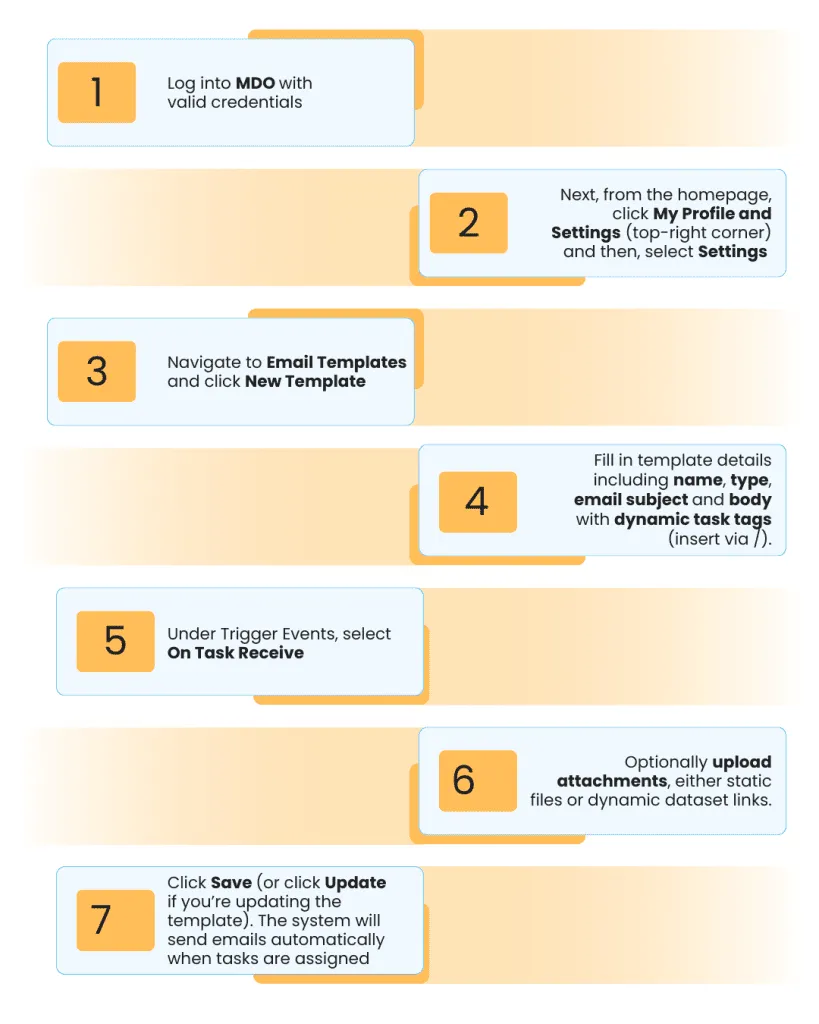
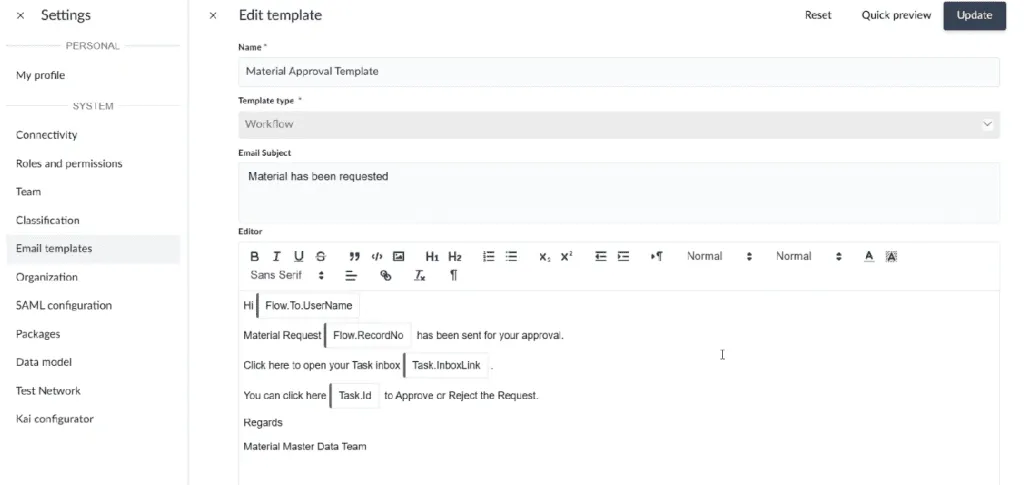
Note: The image is a sample of email template for task notification
What's New: Features That Keep Tasks Moving
So, what exactly did MDO add here? Let's break it down:
Triggering an Email Right When It Matters
The moment a task is assigned in MDO—whether it's a vendor validation, a material update, or an asset approval—the system doesn't wait for you to log in and check. Instead, an email lands straight in your inbox, letting you know exactly what needs attention. Think of it as your task tapping you on the shoulder. And the best part? It only reaches the people who have the right privileges to act on it, ensuring notifications stay meaningful rather than noisy.
Making Emails Smarter with Task Tags
Plain, generic emails don't help much. That's why MDO introduces a dynamic Task tag group. While crafting your notification template, you can pull in live details like Task ID, due date, or a direct Inbox link—simply by typing “/” in the editor and selecting the Task option. The result? Emails that aren't just reminders, but actionable guides that give you everything you need to dive straight into the work.
Handling Errors Without Confusion
We've all clicked into something only to realize it's already been handled. In MDO, if a task has already been processed—say someone approved or rejected it—you won't be left scratching your head. Instead, a clear message tells you, “This task has already been processed.” And if you still need to check or track its status, there's a handy Go to Task Management button that takes you directly to the record. Smooth, simple, and no wasted clicks.
The World of Dynamic Tags
Dynamic tags make your emails smarter. Instead of generic messages, you send personalized notifications that tell users exactly what they need to know. Here's the full reference:
| Tag | Description |
|---|---|
| {{Task ID}} | Unique ID of the task; Clickable link to open the Change Request |
| {{Record Number}} | Record number tied to the task |
| {{Dataset Name}} | Dataset name linked to the task |
| {{Flow Name}} | Workflow or flow name |
| {{Task Description}} | Brief description of the task |
| {{Due Date}} | Completion deadline for the task |
| {{Step Name}} | Workflow step where the task belongs |
| {{Requested By}} | User who initiated the request |
| {{Requested On}} | Date and time the task was requested |
| {{Bulk ID}} | Identifier used for bulk task processing |
| {{Change Request}} | Reference to the related change request |
| {{Task Inbox Link}} | Direct link to the Task Management dashboard |
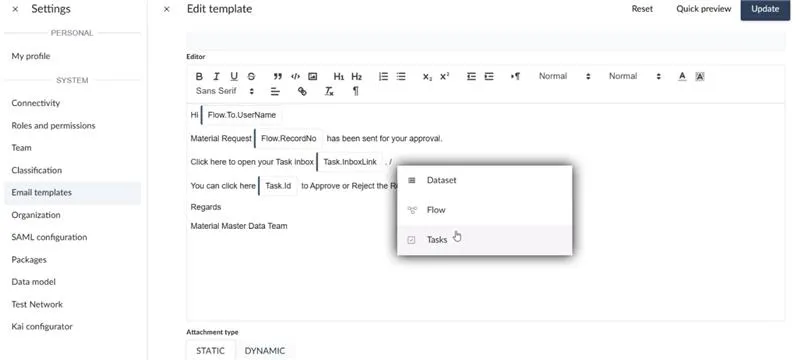
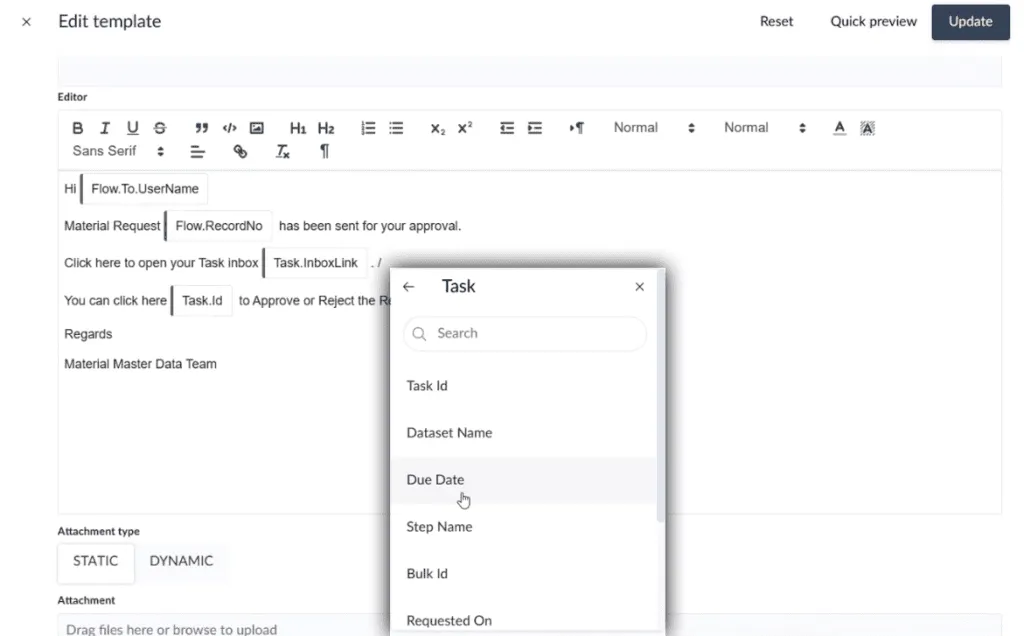
Note: These images is a sample of ‘Dynamic Tag Group: Tasks' within the email template for task notification
These tags ensure that your notifications aren't just reminders—they're actionable instructions.
Why These Notifications Matter: The Benefits & Advantages
With these email notifications, visibility becomes effortless, because everyone knows the moment a task lands in their inbox. It also boosts speed, letting users dive directly into the right record instead of wasting time searching or guessing what to do next. Staying on top of tasks improves compliance, ensuring SLAs and regulatory deadlines are met without last-minute rushes. At the same time, customization empowers admins to craft emails that reflect the company's tone and style, making communication consistent and professional. Finally, this feature brings consistency to onboarding, helping new users understand exactly what to expect and how to act on their tasks from day one.
Problems Email Notifications Solve
Before this feature, teams often dealt with problems like:
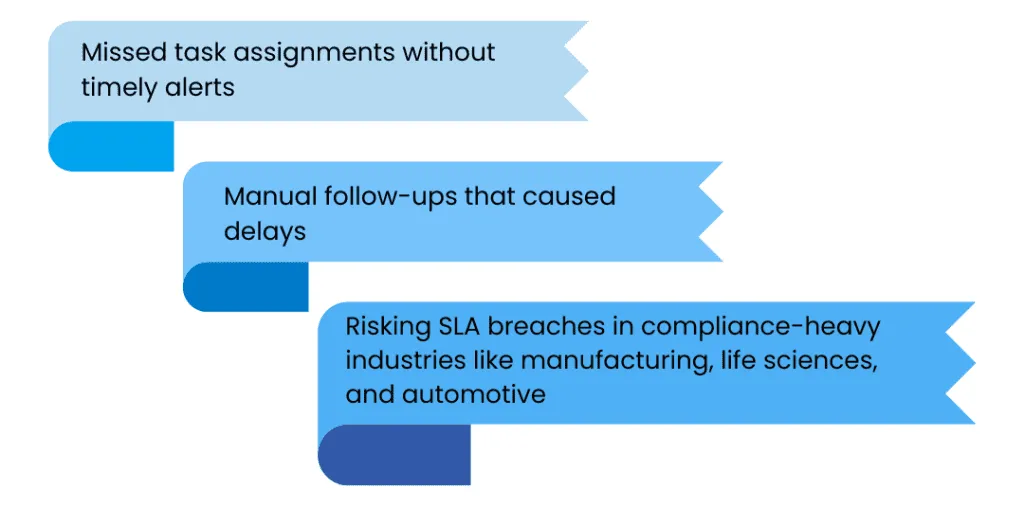
But now, with On Task Receive notifications, every assignment lands right on time and with no more slips or delays.
Change Management & Availability
To make the most of this feature, there are a few important considerations.
First, tasks must be created and assigned through standard flows to ensure notifications trigger correctly. The feature is feature-flagged, which means admins need to enable it before teams can start receiving emails. Implementing it has no impact on existing workflows, so you can add these notifications without changing the way your current processes run. Finally, it is essential to inform the right people, including MDO admins, process owners, and workflow designers, so everyone is aligned before activation.
Business Use Case: Work Without Delays
Mellisa, a procurement team member, is assigned a Change Request to validate vendor data.
Instead of missing it or waiting for reminders, she instantly receives an email notification with the Task ID, due date, and a direct Task Inbox link. One click takes her straight to the record; another gives her visibility into all pending tasks.
With this, Mellisa validates vendor data on time, avoids bottlenecks, and keeps procurement workflows running smoothly.
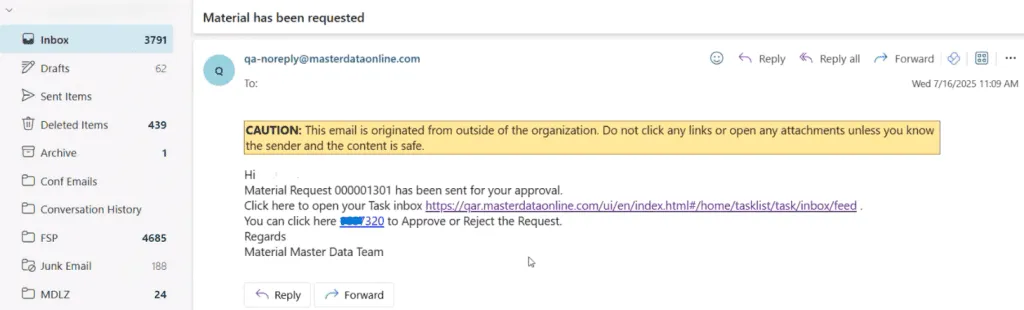
Note: The image is a sample of a task assignment notification email, displaying contextual details such as the Task ID and Record Number. It also includes direct links to open the record or access the Task Management dashboard.
The Bottom Line: From Missed Tasks to Mastered Workflows
Email Notification on Task Assignment keeps work in motion. Each new task arrives with the context, deadline, and direct access needed to act right away. No bottlenecks, no blind spots.
This isn't just convenience—it's risk prevention. Every timely response safeguard business continuity, protects SLAs, and builds accountability across teams. In fast-moving enterprise environments, that's the difference between reacting late and leading ahead.
Because missed tasks don't just slip through cracks—they create them. With MDO, the cracks are closed before they even form.